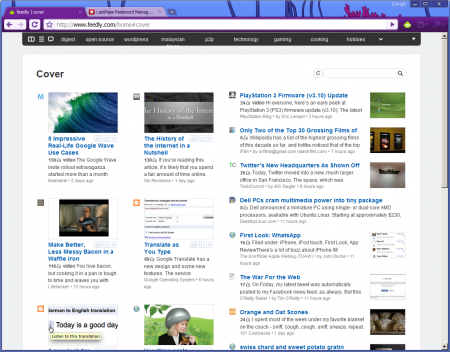
Based on popular demand the people at Feedly have released Feedly for Chorme. Getting it install is easy, here’s how.
Download and install Google Chrome 4.0 Dev Channel. [Windows][2] | [Mac][3] | [Linux 32bit][4] | [Linux 64 bit][5]
Fire up the newly install Chrome and go to “http://update.feedly.com/release/feedly.crx” to install the Feedly extension.
Click the Feedly icon, log in to Google Reader and start enjoying Feedly for Chrome.
Follow [@feedly_chrome][6] on Twitter to stay up to date with the Feedly for Chrome extension.
Source: [Blog@Feedly][7]
[1]: /wp-content/uploads/2009/11/chrome-feedly-1.png) [2]: http://www.google.com/chrome/eula.html?extra=devchannel [3]: http://www.google.com/chrome/intl/en/eula_dev.html?dl=mac [4]: http://www.google.com/chrome/intl/en/eula_dev.html?dl=unstable_i386_deb [5]: http://www.google.com/chrome/intl/en/eula_dev.html?dl=unstable_amd64_deb [6]: http://www.twitter.com/feedly_chrome [7]: http://blog.feedly.com